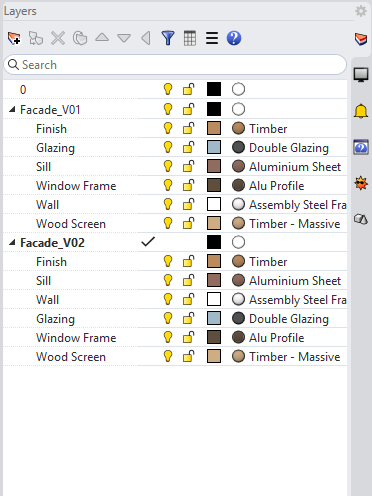
To compare design options side by side, bake each one to its own main layer.
- Open Materials & Layers in the controller.
- Change the Bake Layer name, for example to
Facade_V01. - Click Bake.
- Change the design, rename the bake layer to
Facade_V02and bake again.
Each option now sits on its own layer tree in the same Rhino file. Turn the layers on and off to compare them.
Keep sublayer names unique
Within one bake, every element needs its own sublayer name. Elements sharing a name bake onto the same layer and are merged in the Materials & Layers tab, so give elements distinct names unless you want them together.
Tip: save the option with it
Baked geometry doesn’t remember the settings that made it. If you might want to continue an option later, also save the framework document under a matching name (File → Save Document As…, e.g. Office tower - V01.gh). See Save and open your work.