Every framework is a Grasshopper definition. You never need to open it — but if you know Grasshopper, you can change anything, and your changes show up in the controller.
Open the framework
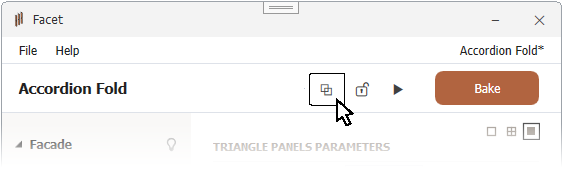
Click ⧉ (Open canvas in Grasshopper) in the controller’s title bar.
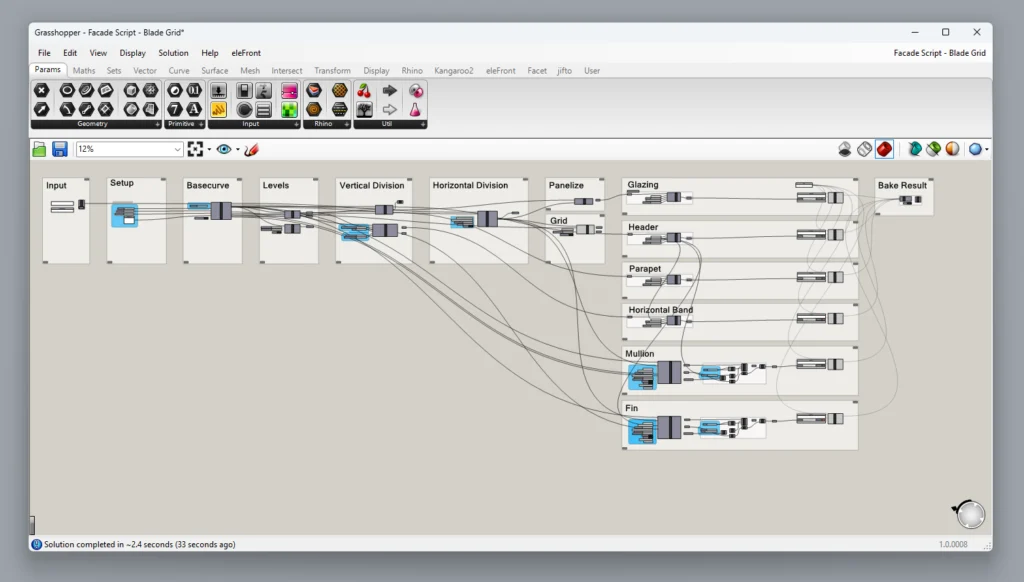
The definition opens with each element in its own titled group, so you can see what builds what.
Add your own parameters to the controller
Any slider, value list, toggle, colour swatch or panel whose name starts with a dot (.) appears in the controller.
- It shows on the tab of the group it sits in on the canvas — a group named
.Finsbecomes the Fins tab. Dotted inputs outside any group go to the main tab. .Group - Labelputs it under a heading:.Opening - Widthshows as Width under Opening.- Two sliders named
Min XandMax X(orX MinandX Max) become one range row. - A unit in brackets at the end overrides the unit shown:
.Rotation (°). - Inputs appear in the order they sit on the canvas, top to bottom.
Inputs that aren’t connected to anything, and disabled ones, are left out.
Save your version
Save your edited framework with File → Save Document As… in the controller. See Save and open your work.
Changes inside a framework are yours to make, but we can’t support every edit. If something stops working, start again from a fresh copy from the gallery.